Realsee × GPT-6 Astra × Blender
Read the website · Explore the space and 3D preview · Join Discord
Use Realsee exports as reference and let GPT-6 Astra run Blender locally to build a 3D space you can keep editing.
This repository shares the original inputs, prompts, tutorial, space-modeling code, and previews from a real project. The focus is on walls, floors, ceilings, doors, windows, and connections between rooms. Furniture and small objects come afterward.
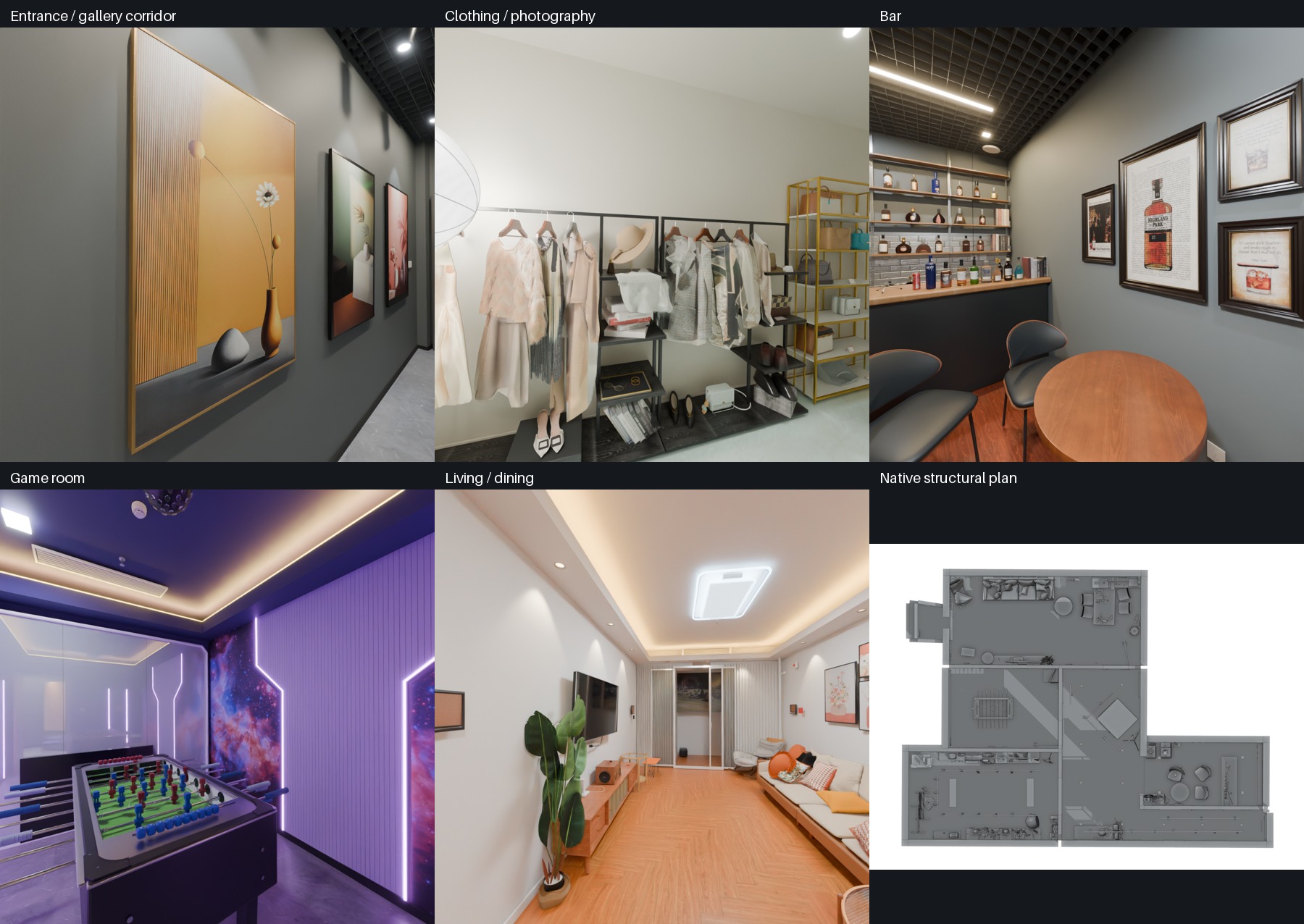
Start here
- Install Blender and use an Astra session that can read local files and run commands. This case used Codex and Blender 5.2.1 LTS.
- Download the original case inputs into
data/with Git LFS, or use your own Realsee models and textures, point clouds, panoramas, CAD files, and other exports. Preserve the original folder structure and keep the published case files intact. - Open the project in Codex and send Astra the quickstart prompt.
- Review the overall space first, then ask for changes. Save the finished project as
output/reconstruction_native.blend.
The illustrated tutorial walks through downloading the inputs, writing the prompt, and refining the result. You can also use the detailed English prompt or its Chinese version. Those prompts retain the input descriptions from this case; ask Astra to adapt them to your own data.
Download the original case inputs
The case includes 396 original files totaling 6,079,895,800 bytes (about 5.66 GiB), excluding .DS_Store. Install Git LFS, then download only the source data:
GIT_LFS_SKIP_SMUDGE=1 git clone https://github.com/realsee-developer/realsee-astra-blender.git
cd realsee-astra-blender
git lfs pull --include='data/**' --exclude=''
See the data guide for the file inventory and verification. The original inputs are shared as-is, including on-site QR codes. Existing public models and video remain the previously reviewed, redacted copies. Source material rights are separate from the code license; see data and licensing.
Check your local setup
The preparation tools use the Python 3.10+ standard library. You do not need the analysis dependencies to run them. From the repository root:
python3 tools/project.py doctor
python3 tools/project.py inventory
python3 tools/project.py smoke
doctorfinds Blender and reads its version.inventorylists the contents ofdata/and writesoutput/source-inventory.json.smokecreates a test wall in a new output directory. Three separate Blender processes save it, reopen and edit it, and reopen it again to check the edit.
smoke checks the environment without touching existing models. Reconstruction starts with your source files and prompt. If Blender is not on PATH, add --blender followed by its executable path to doctor or smoke. See the environment guide for analysis dependencies.
Repository contents
| Directory | Contents |
|---|---|
| prompts/ | A ready-to-use prompt focused on modeling the space |
| docs/ | Tutorial, code guide, previews, and artifact notes |
| tools/ | Environment checks, input inventory, and Blender save/edit smoke test |
| scripts/ | Selected reference code for source analysis, modeling, comparisons, animation, and export |
| artifacts/ | Native scenes, walkthrough video, USDZ, and material notices; large files are provided through Git LFS |
| tests/ | Lightweight tests for the preparation tools |
| data/ | Original case inputs through Git LFS; additional private inputs remain excluded |
research/, output/ |
Local analysis and generated files, ignored by Git |
The scripts record the implementation for this particular space. Some use specific object names, coordinates, and historical intermediate files. Follow the code guide for reading order and prerequisites. With your own inputs, ask Astra to adapt the methods to your space.
See the results
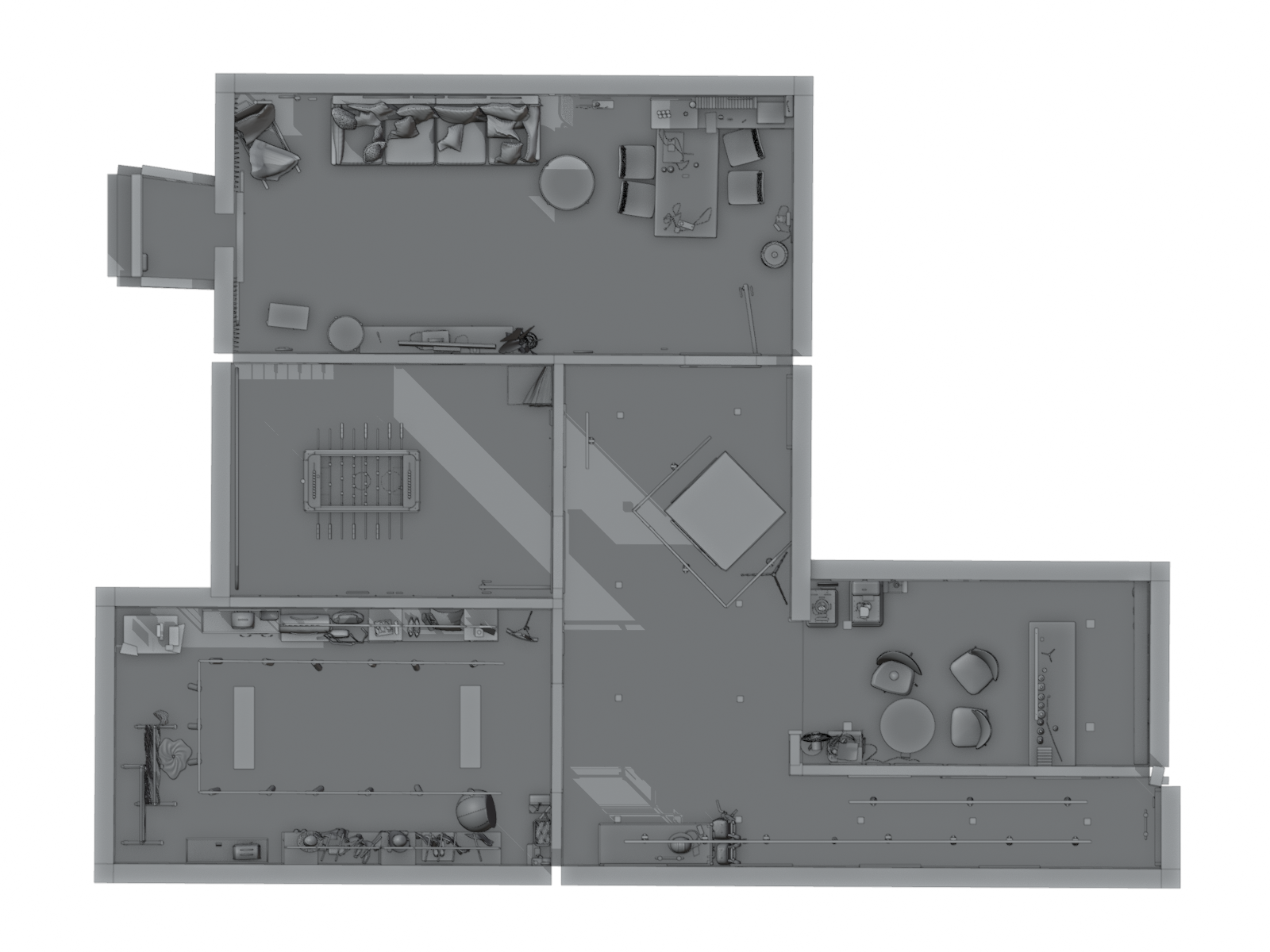
The case produced a native .blend, an editable walkthrough project, an 85-second video, and an initial USDZ export. Code, tutorials, previews, models, and video are available. Large files are provided through Git LFS; see the artifact list.
The original scan and panorama dataset is also available through Git LFS. Historical measurements, research records, and intermediate checkpoints remain local, so the selected scripts are not a complete, turnkey reproduction pipeline. Code, prompts, and original documentation use the MIT license. The source data and case assets have separate rights; see data and licensing.
Development and contributions
python3 -m unittest discover -s tests -v
python3 tools/check_public_tree.py
Neither check requires Blender or the original scene data. If you change how Blender is invoked, also run smoke. Contributions to input organization, modeling prompts, and tooling are welcome; see CONTRIBUTING.en.md.